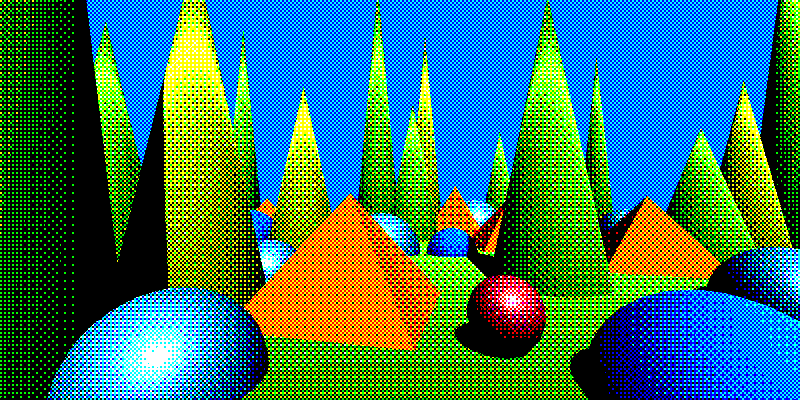
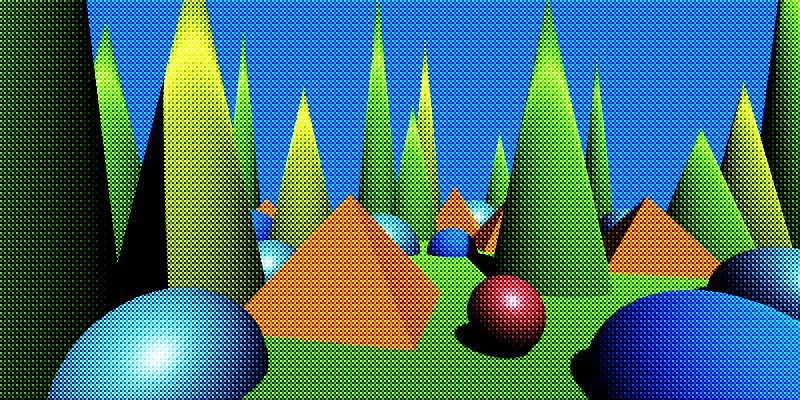
Effects reference: Dithering
Dither Texture Bias
Turns the image into a dithered version using a user-provided texture pattern. The texture’s values act as a bias added to the image before quantization, producing a stylized dither effect. Use this effect when you want full artistic control over the pattern (Bayer, blue noise, etc.).
The alpha channel is not changed by this effect.
Important
See also Dithering Tips
| Property | Range | Description |
|---|---|---|
| Dither Pattern | 🖼️ | The texture used as the dither pattern. Its RGB channels act as a per-pixel bias. |
| Dither Amount Min | [-1, 1] | The minimum value added to each channel based on the pattern. |
| Dither Amount Max | [-1, 1] | The maximum value added to each channel based on the pattern. |
| Level Count | [1, ∞)³ | The number of quantization levels for R, G, and B. Higher values retain more color detail. |
| Smoothness | [0, 1] | Controls how soft the transitions between quantization steps are. |
| Use UV Map | true / false | Enables UV-map–driven sampling of the dither pattern instead of screen-space UVs. |
| UV Map | 🖼️ | UV map texture used to drive pattern sampling when Use UV Map is enabled. |
| Use Depth Compensation | true / false | If enabled, compensates for depth when using a UV map so the pattern appears the same scale at different distances. Blends between adjacent depth bands to reduce popping and discontinuities. |
Tip
- A neutral pattern (flat gray) produces no dithering.
- Bayer, blue noise, and photographic film-style patterns give very different looks.
- When using high smoothness values, subtle dithering patterns can act as a film-grain-like texture.
- You can render out a UV Map with the
UV Map Rendererfor the built-in pipeline, or the corresponding renderer feature for URP. There are more options for managing the scale.
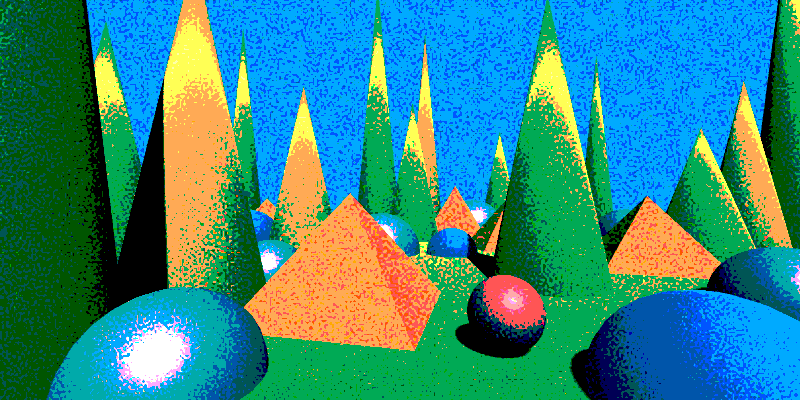
Hard quantization with strong dithering.
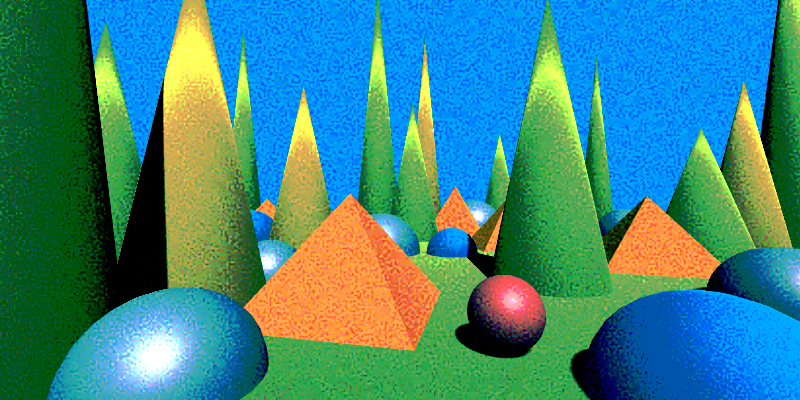
Soft quantization with smoothness applied.
Below are additions only to the existing documentation, following exactly the style you demonstrated (single unified table, shader features surfaced as properties, no extra sections).
Added Properties
Append the following rows to the existing property table:
| Property | Range | Description |
|---|
No other user-facing properties are present in the shader. Internal parameters such as mip bias and depth-band blending are handled automatically by the renderer and are intentionally not exposed.
Send the next one when ready.
Dither Matrix Bias
Turns the image into a dithered version using three independent user-supplied matrices (one for each color channel). This effect is ideal for designing and testing custom dithering patterns using small numerical matrices.
The alpha channel is not changed by this effect.
Important
See also Dithering Tips
| Property | Range | Description |
|---|---|---|
| Matrix R / G / B | 🔢 | A floating-point matrix for each color channel. Values are normalized automatically. |
| Pixel Size | (0, ∞)² | Controls how large each matrix cell appears on the screen. Higher values make the pattern blockier. |
| Dither Amount Min | [-1, 1] | Minimum bias applied per channel based on the matrices. |
| Dither Amount Max | [-1, 1] | Maximum bias applied per channel. |
| Level Count | [1, ∞)³ | Per-channel quantization level count (R, G, B). |
| Smoothness | [0, 1] | Controls the softness of the quantization steps. |
| Pixel Offset | ℤ³ | Integer offset applied to the pixel grid before sampling the matrices. Useful for shifting or animating patterns. |
| Use UV Map | true / false | Enables UV-map–driven dithering instead of screen-space coordinates. |
| UV Map | 🖼️ | UV map texture used to drive matrix sampling instead of screen-space UVs if enabled. |
| Use Depth Compensation | true / false | If on, scales the pattern to compensate for depth, so texture look the same size at any distace when using UV map. It blends between adjacent depth bands when using a UV map to smooth transitions. |
Note
You could make a texture from the matices and use the Dither Texture Bias shader for slightly better performance. This shader can still be used for prototyping. To make the dither texture, see Dither pattern generator.
Tip
- You can render out a UV Map with the
UV Map Rendererfor the built-in pipeline, or the corresponding renderer feature for URP. There are more options for managing the scale.